BLOG
The Ultimate Guide to Launching a Shopify Mobile App: Technical Approaches & Key Considerations
Looking to build a mobile app for your retail brand? Explore our ultimate guide on setting up a Shopify Mobile App - when to get started, the options you can take, and more.
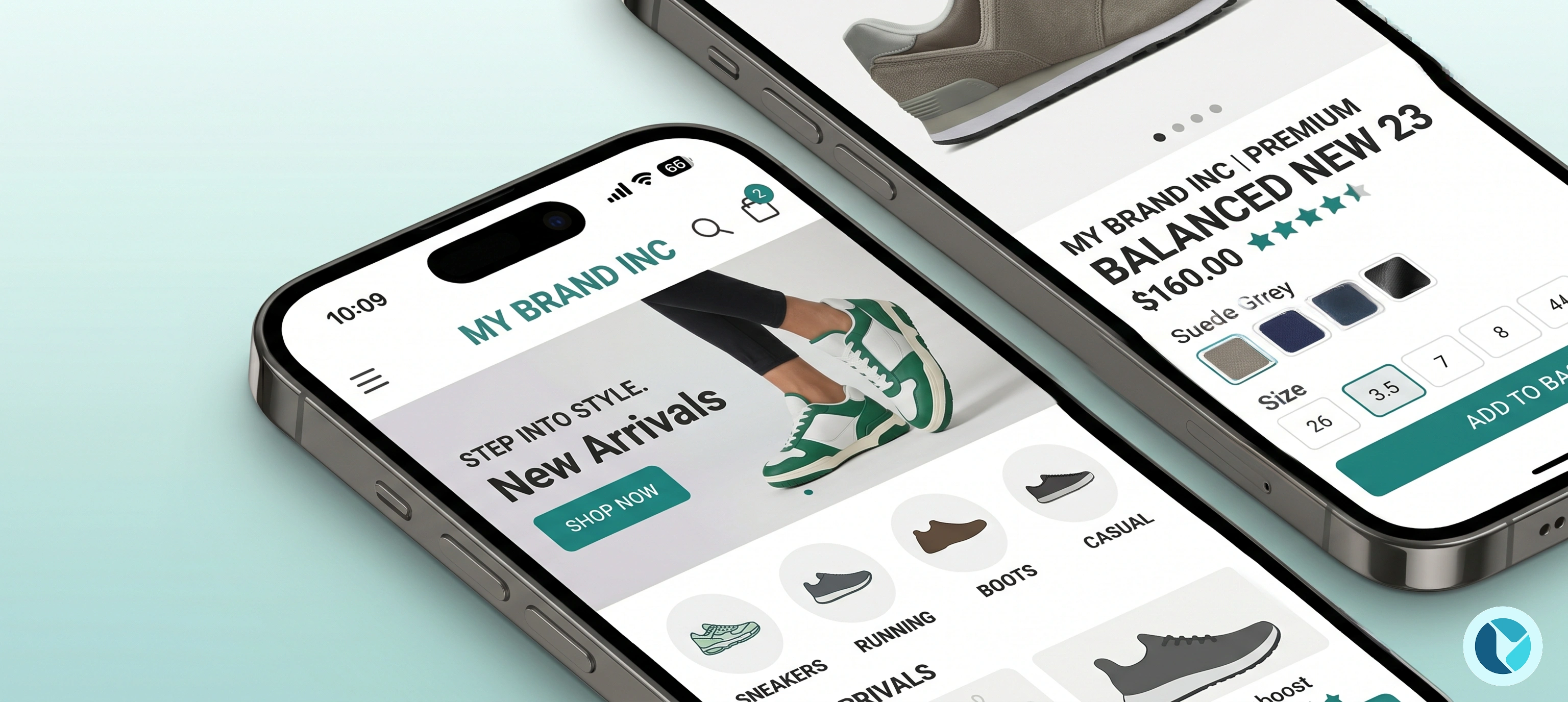
For merchants with a strong base of returning customers and a decent GMV (Gross Merchandise Value - how much you sell over a year) - a dedicated mobile app is potentially a great retention engine. Mobile apps offer higher conversion rates, native push notifications, and a captive brand experience.
However, transitioning your Shopify store into a native iOS and Android app is a major technical decision. If you are a brand, particularly one operating in a market like Hong Kong, when evaluating your mobile strategy you generally have two technical approaches to choose from.
Here is our product and technical breakdown of how to build a mobile app for your Shopify store, the trade-offs of each approach, and the critical features you must consider before taking the leap.
Approach 1: Build a Custom App Using Shopify’s APIs (Headless)
The first approach is a fully custom build. This involves hiring a development agency or an in-house engineering team to build a native mobile app (using Swift for iOS, Kotlin for Android, or cross-platform frameworks like React Native/Flutter).
To connect this custom app to your Shopify backend, developers use a "headless" commerce architecture. They will leverage Shopify’s Storefront API (GraphQL) or the Mobile Buy SDK to pull product data, manage the cart, and securely route the user to Shopify’s checkout.
The Trade-Offs
The Pros:
- Absolute Control: You have zero design restrictions. You can build bespoke user journeys, unique product configurators, and highly specific custom interactions that off-the-shelf software simply cannot support.
- Native Performance: A custom-coded app can achieve hyper-fast load times and seamlessly utilize native device features like the camera or augmented reality (AR).
The Cons:
- High Capital Expenditure: Custom mobile apps require a massive upfront investment (often ranging from hundreds of thousands to over a million HKD depending on complexity).
- Maintenance Burden: This is the hidden cost of custom builds. You aren't just paying to build the app; you have to maintain it. When Apple or Google update their operating systems, or when Shopify deprecates an API version, your developers must update the code to prevent the app from breaking.
- App Integrations Break: In a headless setup, you lose the "plug-and-play" nature of the Shopify App Store. Every product review, loyalty widget, or search filter app you use on your website must be manually rebuilt via APIs for the mobile app.
Approach 2: Leverage Existing Shopify Mobile App Builders
The second approach is utilizing a mobile app builder solution that integrates natively with your Shopify store. Solutions in the Shopify App Store act as a bridge, instantly turning your existing Shopify catalog, theme assets, and backend logic into a functional native app.
There are a couple of major players in the Shopify App ecosystem that we see Shopify merchants using, such as Superfans (formerly Vajro) and Tapcart.
The Trade-Offs
The Pros:
- Speed to Market: Instead of a 6-month development cycle, you can design, configure, and launch an app in a matter of weeks.
- Zero Technical Debt: The app builder company handles all iOS/Android OS updates, bug fixes, and API maintenance.
- Native Ecosystem Integration: The best app builders natively integrate with major Shopify apps (like Klaviyo, Yotpo, or search providers), meaning your existing tech stack (apps) works out-of-the-box on mobile.
The Cons:
- Design Constraints: You are limited to the drag-and-drop components, layouts, and block types provided by the platform.
- Ongoing SaaS Fees: While the upfront cost is significantly lower, you will pay a monthly or annual subscription fee for as long as you use the platform. These monthly fees can scale up to US$1,000+ monthly depending on features and integrations you want to use.
5 Key Considerations When Choosing Your Mobile App Strategy
If you decide to go with a Mobile App Builder (which we recommend for most Shopify merchants), not all platforms are created equal. When evaluating vendors, especially for the Hong Kong market, make sure they pass the following technical considerations:
1. Robust Multi-Language Support
Hong Kong is a bilingual market. A successful app must seamlessly support both English and Traditional Chinese without clunky workarounds. Ensure the app builder natively connects with Shopify’s translation APIs (like Shopify Translate & Adapt or third-party apps like Langify) so that product descriptions, navigation menus, and checkout flows switch instantly based on the user's preference.
2. Frictionless Authentication and SSO (Single Sign-On)
Nothing kills an app's conversion rate faster than a frustrating login screen. You want a solution that offers Single Sign-On (SSO), allowing customers to use the exact same credentials they use on your website. Look for platforms that support passwordless logins, biometrics (FaceID/TouchID), and Apple/Google sign-ins. The authentication must route perfectly back to Shopify’s Customer Account API so order histories remain unified.
3. Localized Checkout and Payments
Your mobile app must route users to a native, mobile-optimized version of your Shopify Checkout. Crucially, it must support all your active payment gateways. In Hong Kong, credit cards aren't enough. The app's checkout experience must flawlessly support local digital wallets like PayMe, FPS, AlipayHK, and WeChat Pay. Test this rigorously, if the app drops the connection when switching to a local banking app, you will lose the sale.
4. CRM & Marketing Automation Sync
Push notifications are the primary ROI driver for mobile apps, boasting open rates vastly superior to email. However, you shouldn't have to reinvent the wheel to send them. Ensure the app framework integrates natively with your existing CRM and marketing automation tools (like Klaviyo or Omnisend). You should be able to trigger personalized push notifications for abandoned carts, back-in-stock alerts, or VIP tier upgrades using the automated flows you already built for email.
5. Deep Omnichannel Loyalty Integration
Loyalty is arguably the biggest use case for a mobile app. Customers download apps from the brands they buy from repeatedly. Therefore, your loyalty program must be the centerpiece of the mobile experience.
- Online and Offline Sync: Can the customer open the app, view their current points balance, and pull up a barcode to be scanned at your physical retail POS?
- In-App Redemptions: Can they easily apply loyalty points as discounts directly within the mobile checkout?
If your loyalty app and mobile app don't speak to each other perfectly, you negate the primary reason customers download retail apps in the first place.
At What Stage Should I Consider Getting a Mobile App for My Business?
Mobile apps have been a hot topic for a few years now, and at Wave Commerce, we’ve seen brands jump into a mobile app before they are ready.
Understanding when to look into a mobile app is difficult, but there is a science behind it. You will need to monitor your GMV (Gross Merchandise Value) - such as how many online sales you make per month, your loyalty database - especially the percent/quantity of return customers, and your reliable website traffic.
- Monthly Sales: A good point to start looking at a mobile app is when you have consistent monthly sales from your online Shopify store of at least US$15,000 - 20,000.
- Website Traffic: Mobile apps can convert on average 3x to 5x higher than mobile websites, but that only matters if people actually use the app. You should have enough existing traffic to funnel into the app - and a common goal is at least around 1,000 active monthly users of your app to make it sustainable. If your website only gets a few hundred visitors a month, your app downloads will be a fraction of that, rendering the project effectively useless. You need a sizable email/SMS list and website traffic pool to convert web visitors into app installers.
- Repeat Purchase Rate: Because an app requires a customer to go through the friction of downloading it, they will only do so if they expect to buy from you repeatedly. Your store should have a Repeat Customer Rate of at least 20% to 25% - if your repeat purchase rate is 5%, it means 95% of your buyers are one-and-done. No one downloads an app to buy a mattress they will use for ten years. However, if you sell consumable goods (skincare, coffee, supplements) or fast fashion, and your customers return every few weeks, an app will dramatically reduce the friction of those repeat purchases.
- Loyalty Program Maturity: Are you actively running a loyalty or VIP program, and is it generating revenue? Mobile apps and loyalty programs are deeply symbiotic. If you already have a successful points system or a tiered VIP program, a mobile app is the logical next step. It gives customers a "home" for their loyalty points and allows you to send highly effective, native push notifications like, "You're only 50 points away from a $100 reward!" If you do not have a retention strategy in place yet, you should build that on your website before building an app.
Bridging the Gap With OMNI Loyalty
Launching a mobile app is a powerful lever for customer retention, but the underlying technology dictates its success. The most beautiful app in the world won’t drive ROI if it exists in a silo disconnected from your customer data and retention strategies.
If loyalty is the primary driver for your mobile app, and for high-growth brands, it always should be - your app needs an engine to power it. That is where OMNI by Wave Commerce comes in.
OMNI isn't just a points widget; it is an advanced, omnichannel loyalty and membership CRM built specifically for the Shopify ecosystem. Designed with seamless mobile app integration in mind, OMNI allows you to:
- Embed Deep Loyalty in Your App: Allow customers to view their VIP tiers, track points, and browse exciting reward wallets directly within your mobile app's native interface.
- Power Omnichannel O2O Experiences: Bridge your app and your physical stores. With OMNI, customers can pull up a barcode in your app to scan at the checkout counter, seamlessly earning and redeeming points via Shopify POS.
- Fuel Your App with Advanced Rewards: Go beyond simple points. Use OMNI to trigger instant, personalized rewards like a push notification on their birthday with an exclusive in-app discount, or an instant VIP upgrade right at checkout.
Whether you choose a custom headless build or an app builder, OMNI acts as the unified data layer ensuring your loyalty program feels native, frictionless, and incredibly rewarding on mobile.
Want to turn your most loyal customers into mobile app super-users? Our team of Hong Kong-based Shopify experts can help you design the perfect omnichannel strategy. Contact Wave Commerce today to book a demo and see how OMNI can power your mobile growth.
Final Thoughts
Launching a mobile app is a powerful lever for customer retention, but the underlying technology dictates its success. For brands that require unprecedented custom workflows and have deep engineering budgets, a custom headless build via Shopify's APIs provides limitless scale.
However, for most brands looking to quickly capitalize on mobile revenue, implementing an existing Shopify mobile app builder is the smarter choice. Focus your evaluation on local payment compatibility, bilingual support, and seamless omnichannel loyalty to ensure your app truly resonates with the Hong Kong consumer.
Explore more stories
%204%20(1)%20(1).webp)


A brand of Visual Squares Limited.
Shopify Expert. All rights reserved.
Terms of Use | Privacy Policy
